Your adventure.
At your fingertips.
A little guide to Tidecaller v0.79.

A home for every window.
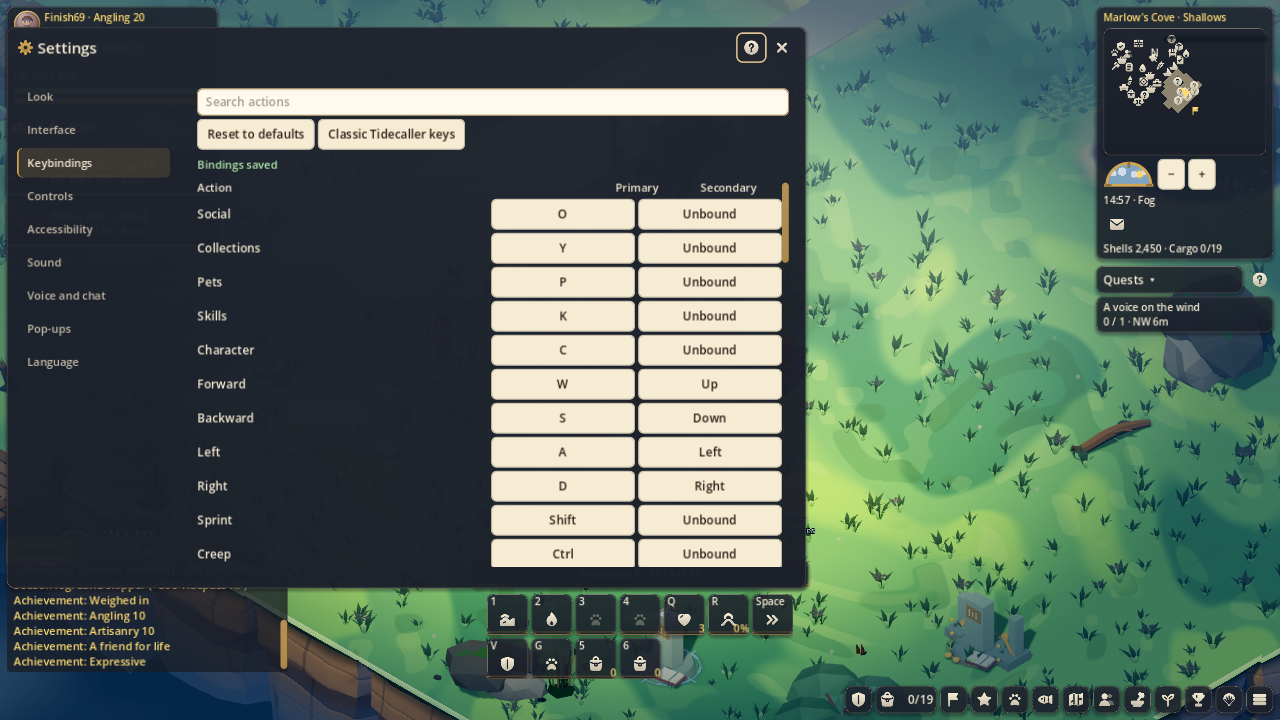
These are the new defaults. Change any binding in Settings, or choose the classic Tidecaller preset.
- C Character
- All ten equipment slots, wear, total stats, appearance, boat fittings and reputation. Hover gear to compare it with what you wear.
- I / B Bag
- Items, capacity and currencies. Search, sort and pin your supplies; use, equip or craft with an item.
- J / L Quests
- Objectives, progress and rewards together. Track another quest or show its destination on the Map.
- K Skills
- All five skills with level, XP to the next level and upcoming unlocks.
- P Pets
- Your team, health and roster, with Overview, Abilities, Care and History.
- Y Collections
- Search the Fishdex, creatures, keepsakes, wonders, recipes, achievements and season records. Unknown discoveries keep their secrets.
- M Map
- Island and World views, services, quest markers, party members, waypoints and travel.
- O Social
- Friends, crew, party, mail and townsfolk. Whisper, invite or trade through the same player menu.
- N Crafting
- Recipes, can make counts, compared outputs and have/need materials. Browse anywhere; make the item at its station.
- H Home
- Garden, visitors, stall, rooms and building. Your island has one place to manage it all.
- T Tackle
- Open Character’s Tackle tab for bait, lures, meals and tools.
- Q Charm
- Earn a wild pet’s trust and offer it a place on your team.
- Shift + P Photo mode
- Frame the view and hide the interface for your picture.
- Esc Menu and search
- Close the top window. With nothing open, find Settings, Help, Shop, Account or any window, tab or named task.
Make a little room for the world.
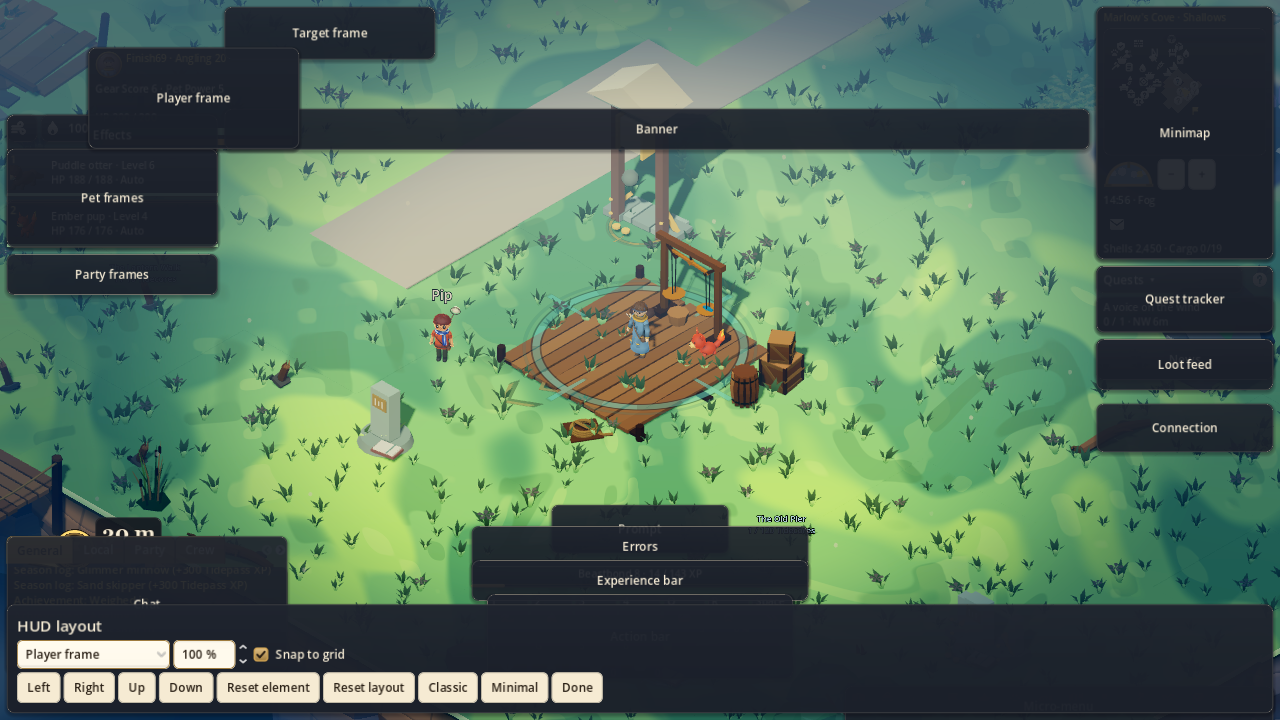
The Classic HUD shows your team, target, minimap, objectives, chat and action bar. Minimal keeps a quieter view. Open Settings → Interface to move, scale, snap or reset individual pieces. Layouts are saved for your device.
Drag desktop windows by their title bars. Touch uses sheets with Back, and controllers use focus and shoulder tabs. Long press an item on touch, or focus it with a controller, to read its tooltip.
Around the harbor.
Vendors have Buy, Sell and Buyback. The Weighing Dock still lands and sells your sealed field haul. Market has Buy, Sell and My orders. Activities gathers queues and contests in one window.